Add
Start with the notes, photo, worksheet or PDF already used in the lesson.
LESSON NOTES FOR TUTORS
Lesson notes often end up in different notebooks, chats and documents. Rankerd gives you one tutor-reviewed place to keep the lesson context and decide what happens next.
A CLEARER LESSON RECORD
Add a notebook photo, worksheet, textbook page, PDF or lesson notes. Lesson Snapshots keep the source visible alongside the follow-up you prepare.
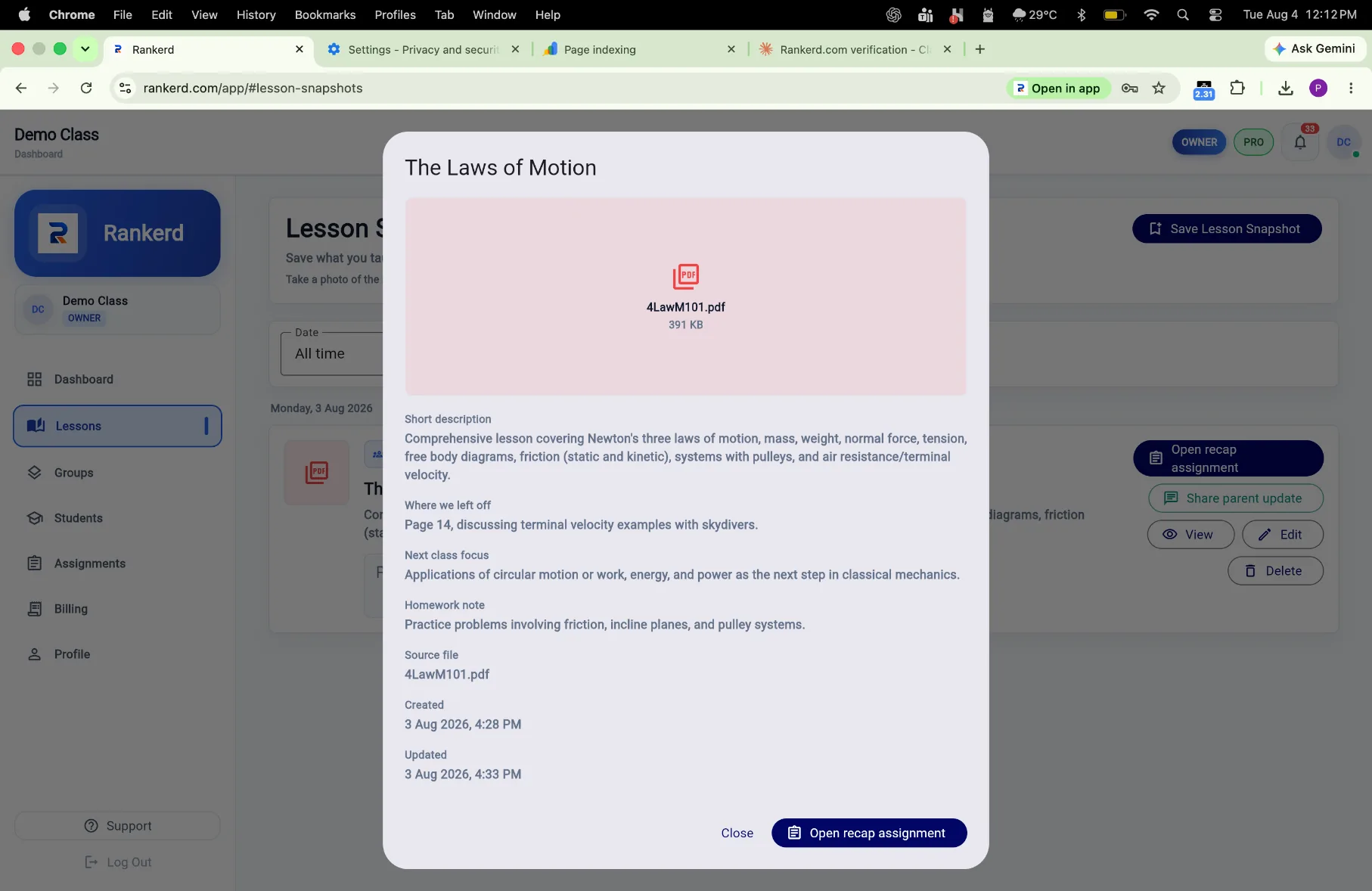
LESSON SNAPSHOTS WORKFLOW
Capture the context once, then use it across the tutor workflow.
Start with the notes, photo, worksheet or PDF already used in the lesson.
Keep the source available while you check the learner’s context.
Create an assignment or prepare a parent-ready update from the lesson.
CONNECTED TUTOR WORKFLOW
Use Lesson Snapshots as the starting point for custom assignments, then track student progress and prepare clearer parent updates.
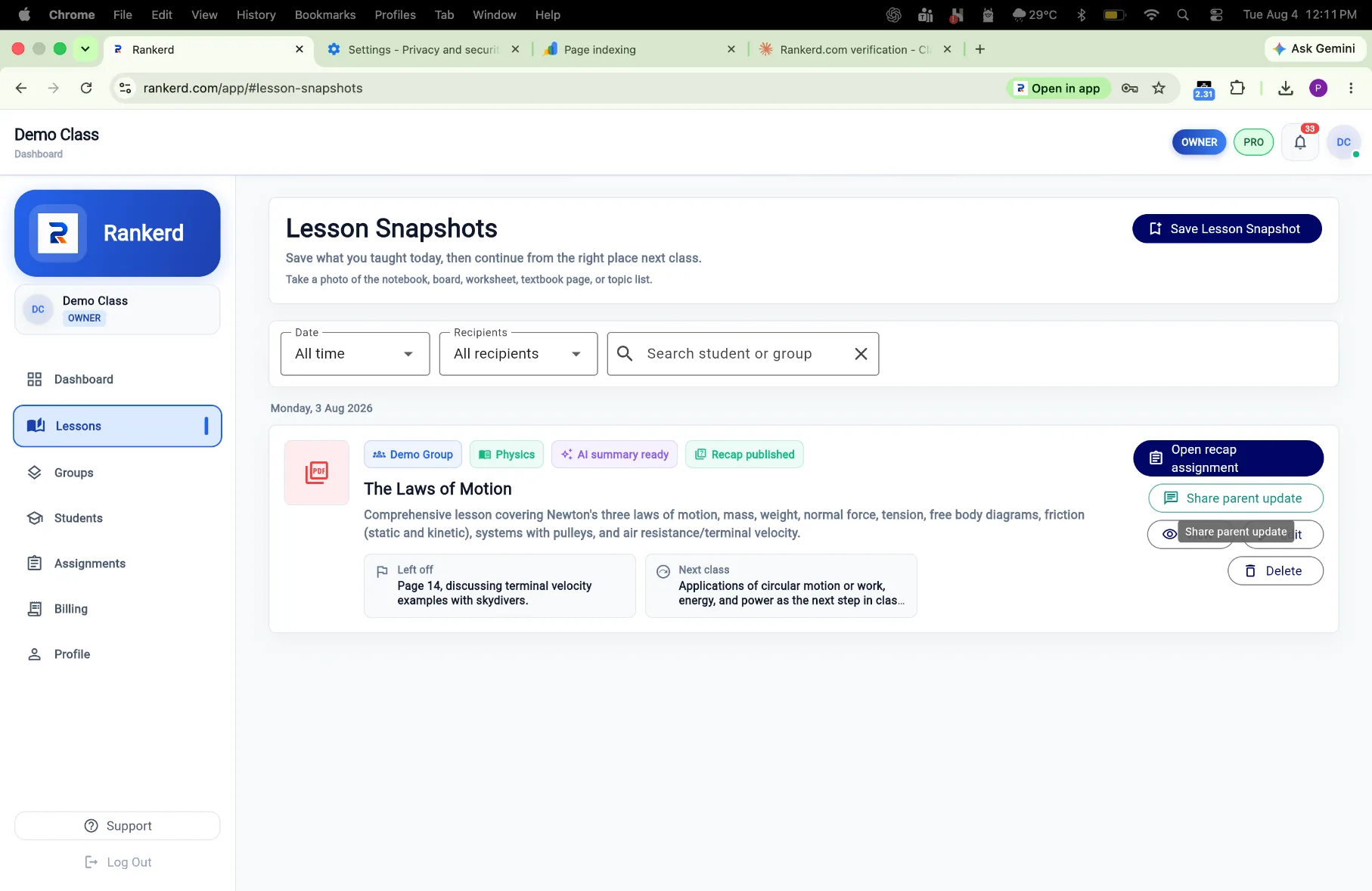
Start with one lesson record and keep its follow-up connected.
Start 14-day free trialSee Rankerd pricing