Capture
Start with the material already in the lesson.
MIDDLE EAST TUTORS AND TUTORING TEAMS
Turn the worksheets, notes, photos and PDFs already used in lessons into parent-ready updates and tutor-reviewed browser assignments.
Tutor review stays in the loop. Students open assignments in a browser.
No student app. No curriculum setup. Nothing goes out without tutor review.
PARENT UPDATES
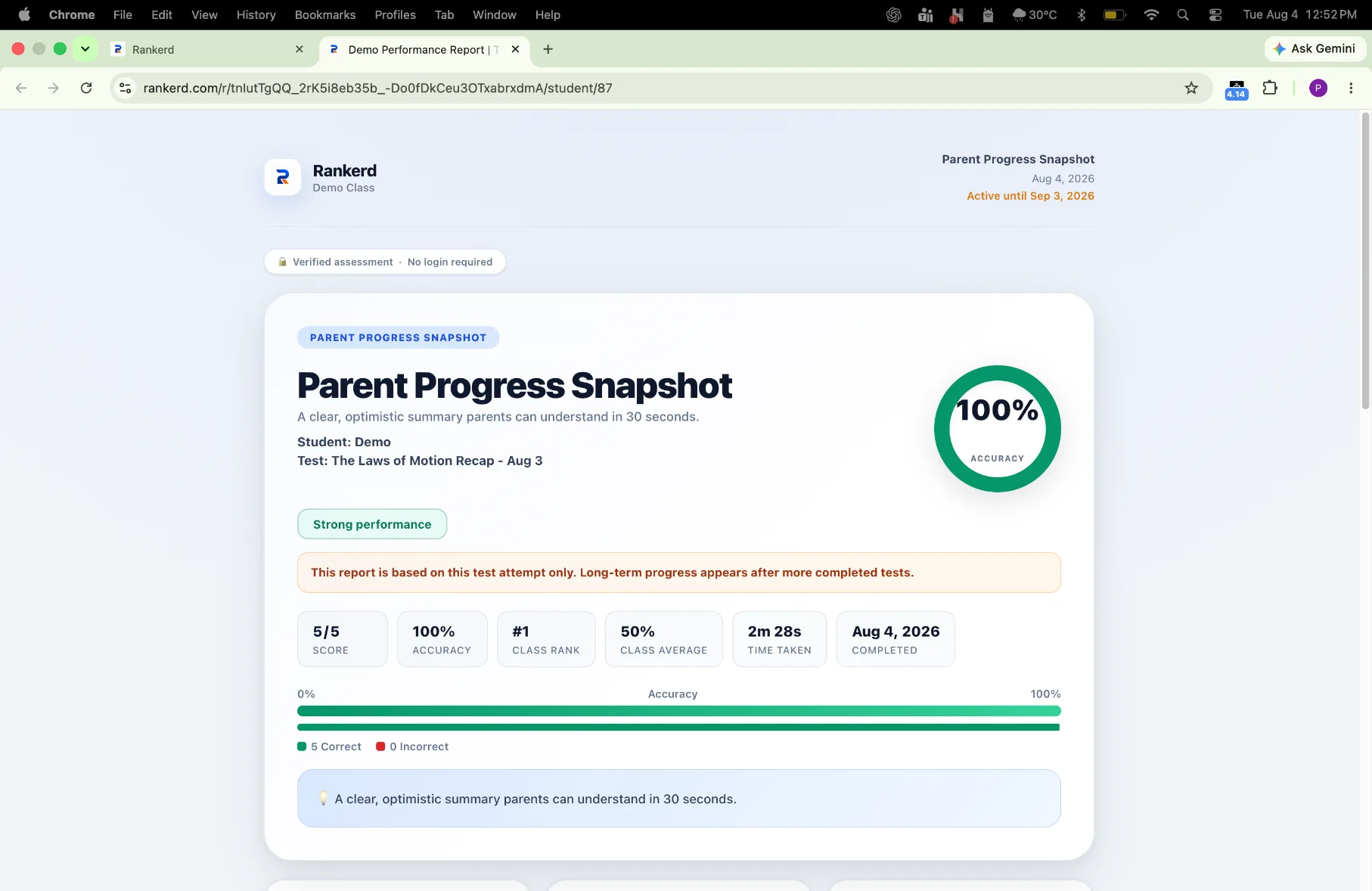
Turn lesson evidence into a concise parent-ready update. Review the draft, adjust the detail and share it through WhatsApp when you are ready.
ASSIGNMENTS
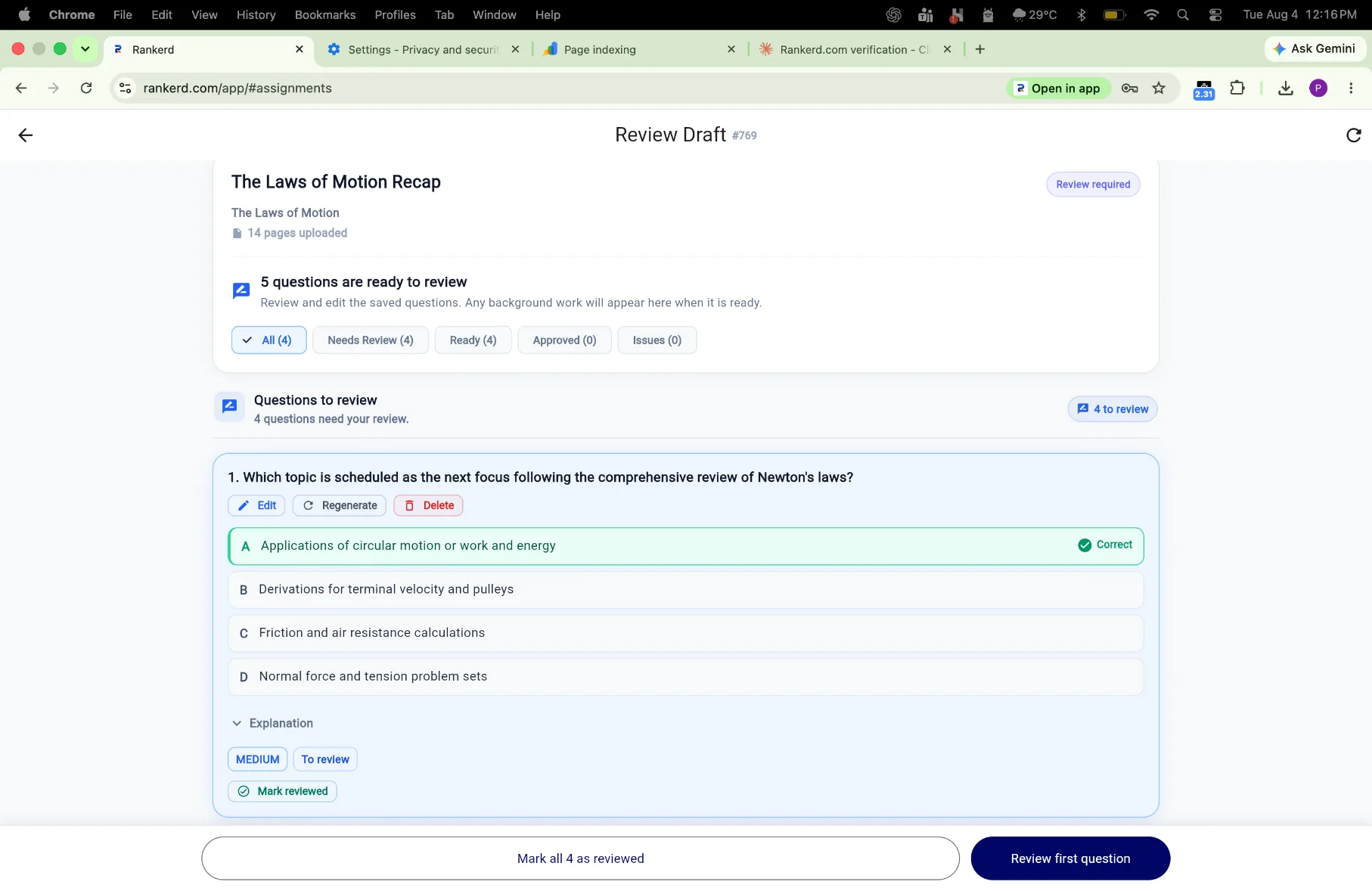
Create 5–30 questions from a photo, worksheet, textbook page, PDF or pasted notes. Review the questions and answers, then send the student a browser link.
CONNECTED WORKFLOW
Keep the source lesson, parent follow-up, assignment and student result connected so the next decision is easier to make.
Start with the material already in the lesson.
Check the parent update and generated questions before sharing.
Use WhatsApp for parent follow-up and a browser link for student work.
Use results and question-level patterns to plan what comes next.
PRODUCT PROOF
The same product workflow supports parent communication, student attempts and tutor decisions.
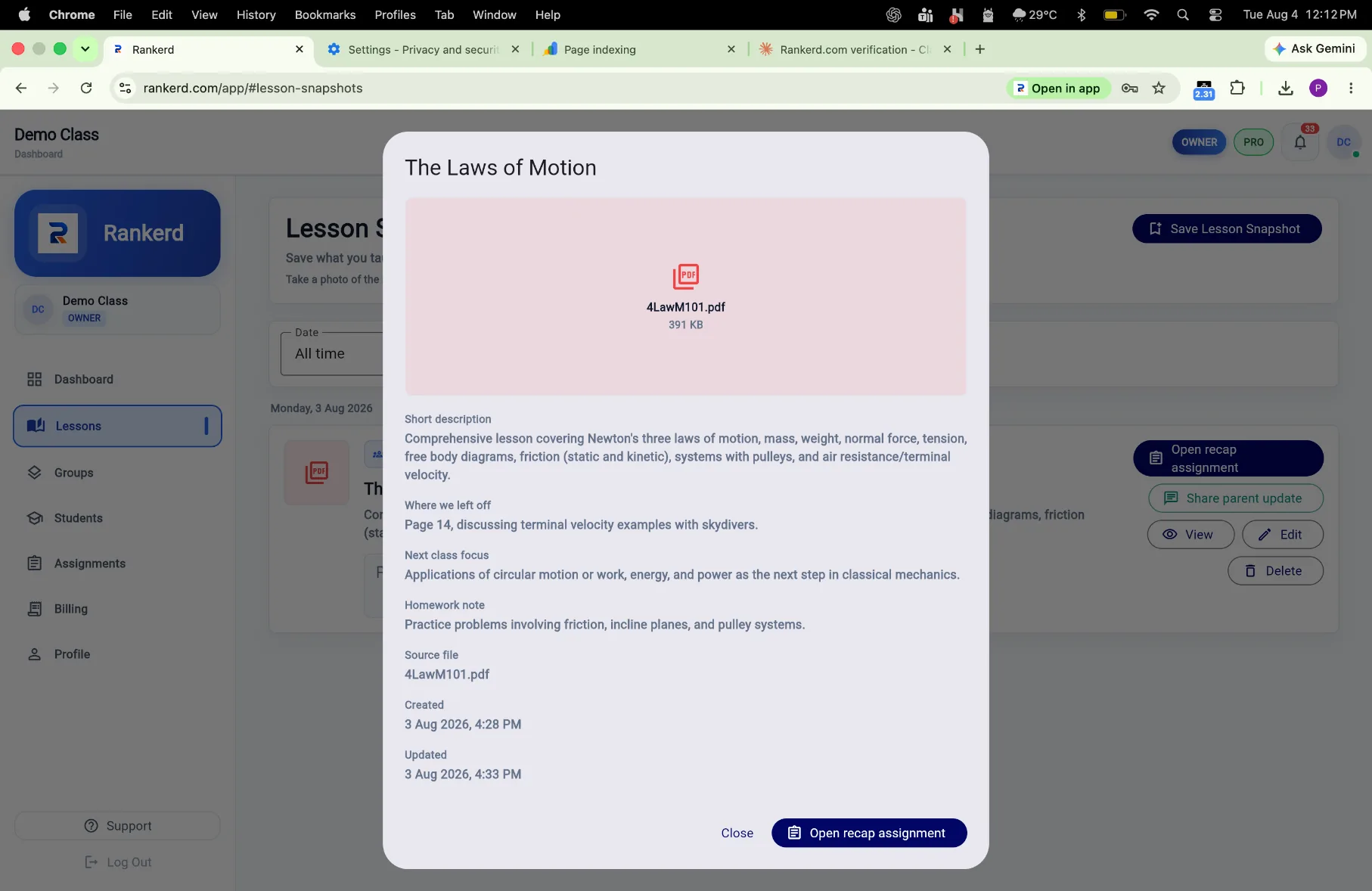
Review the material that grounded the draft before you send it on.
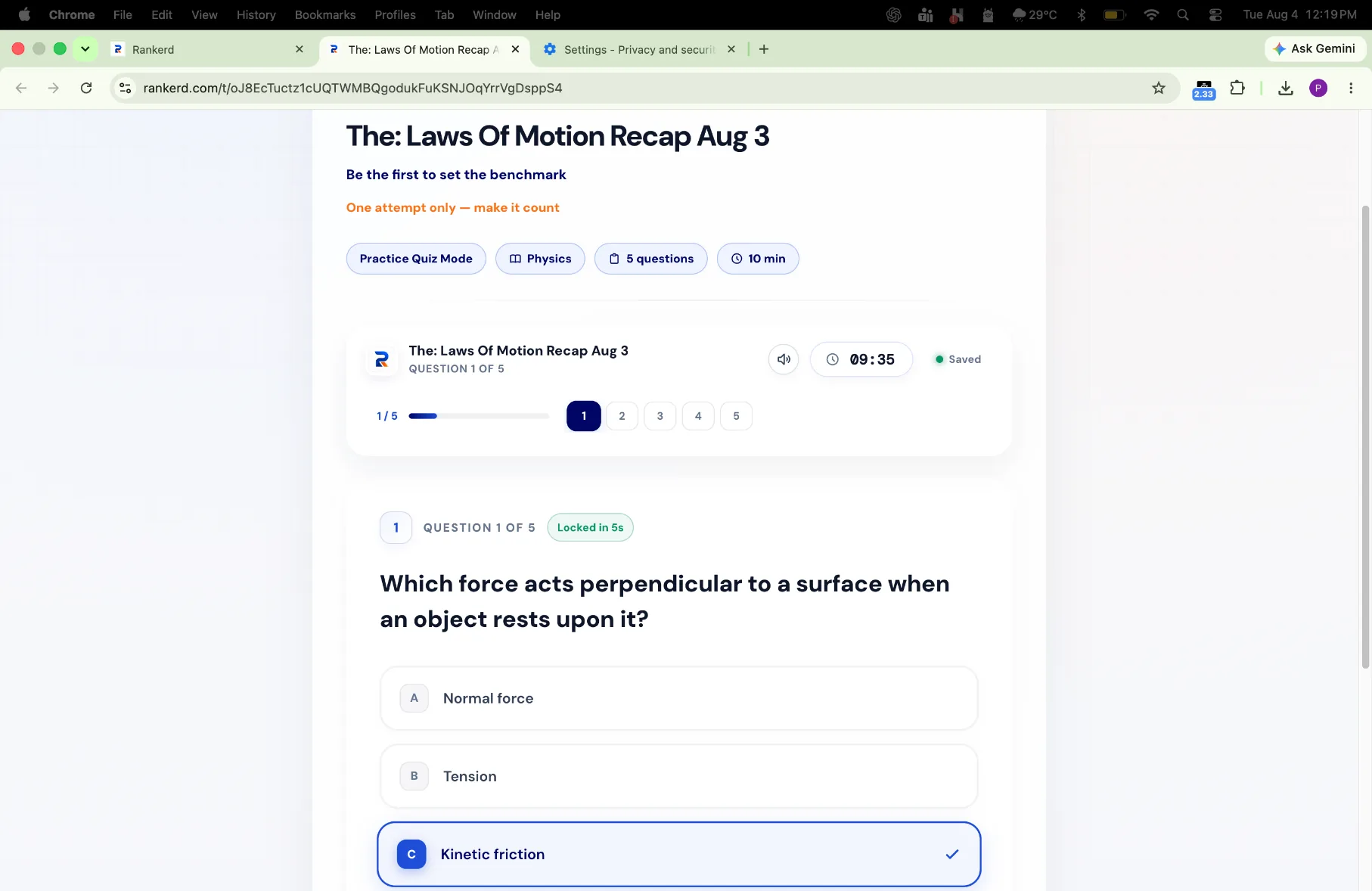
Share a focused assignment without asking students to install another app.
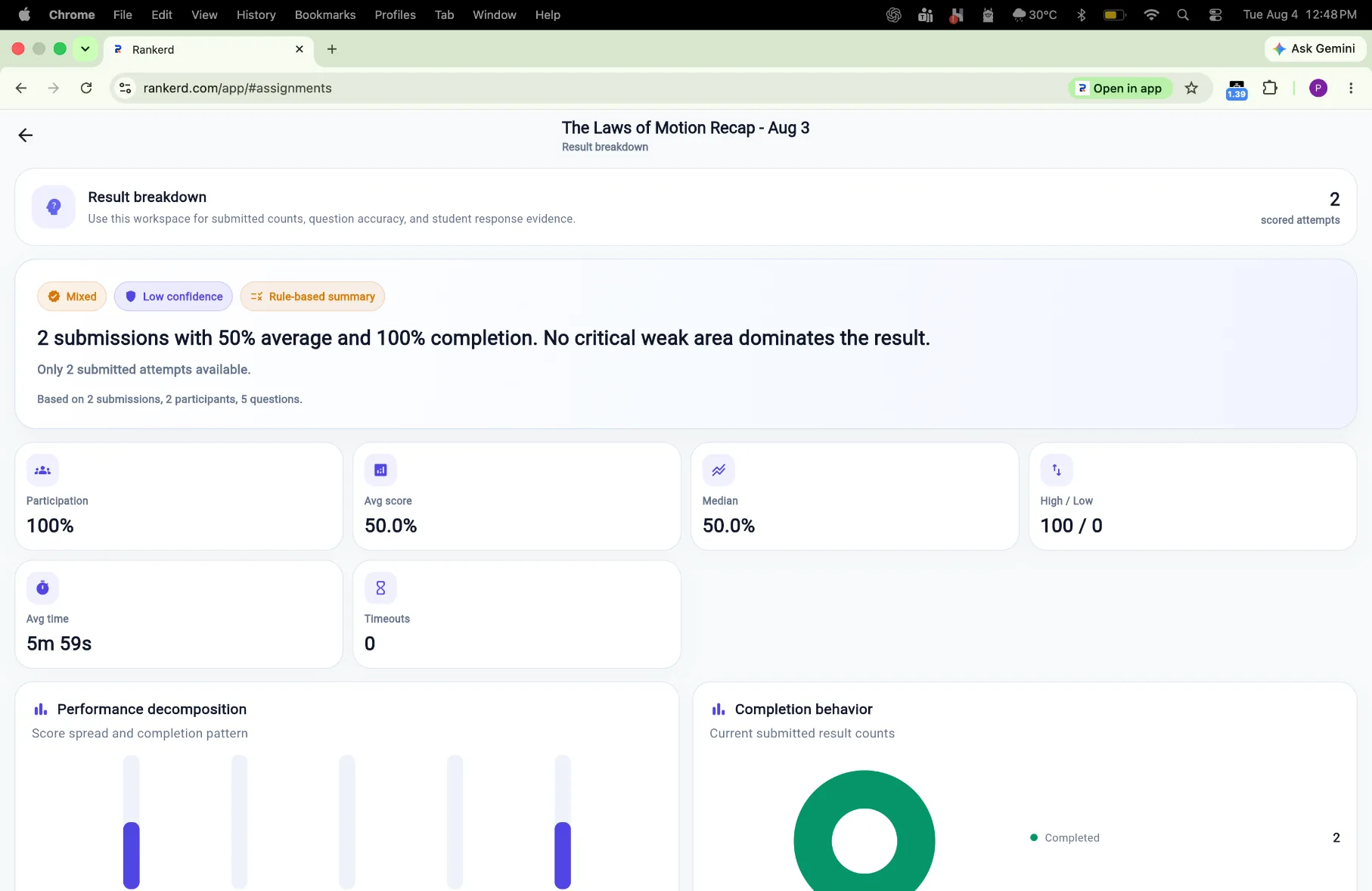
Review performance patterns and decide what needs another explanation.
ORGANISED WORKSPACE
Use the existing tutor workspace to keep teaching activity organised across students, groups, assignments and results. The workflow stays useful for an independent tutor or a small tutoring team.
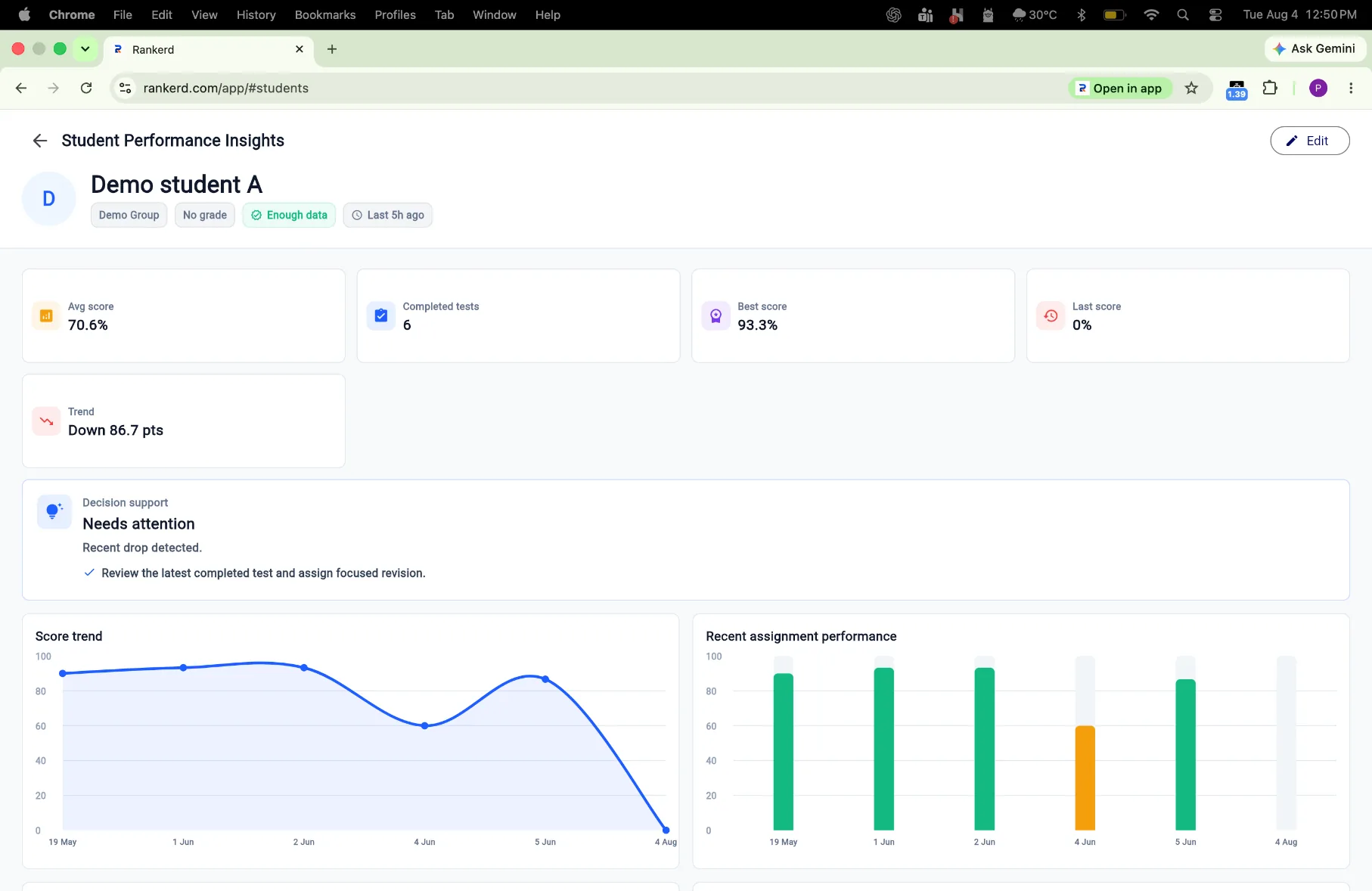
THE MIDDLE EAST CONTEXT
When lesson material varies between learners, start with the actual worksheet, notes, photo or PDF. Rankerd does not require curriculum setup; the tutor reviews the generated draft before sharing.
Start with the worksheet, notes, photo or PDF already in the lesson.
Check the draft against the learner, source and teaching goal.
Share parent updates through WhatsApp when the tutor is ready.
Use the result to decide what to revisit in the next lesson.
PRICING AND TRIAL
The free trial lets you explore the existing Tutor Pro workflow. See the current plan details on pricing.
QUESTIONS, ANSWERED
READY WHEN YOU ARE
See a short draft first, or start the existing Tutor Pro workflow free for 14 days.