Detect concepts
Use the lesson source as the starting point for the question draft.
For independent tutors
Turn a tutor’s notebook photo, worksheet or PDF into reviewable multiple-choice questions from the lesson you just taught.
A practical notes-to-MCQ workflow
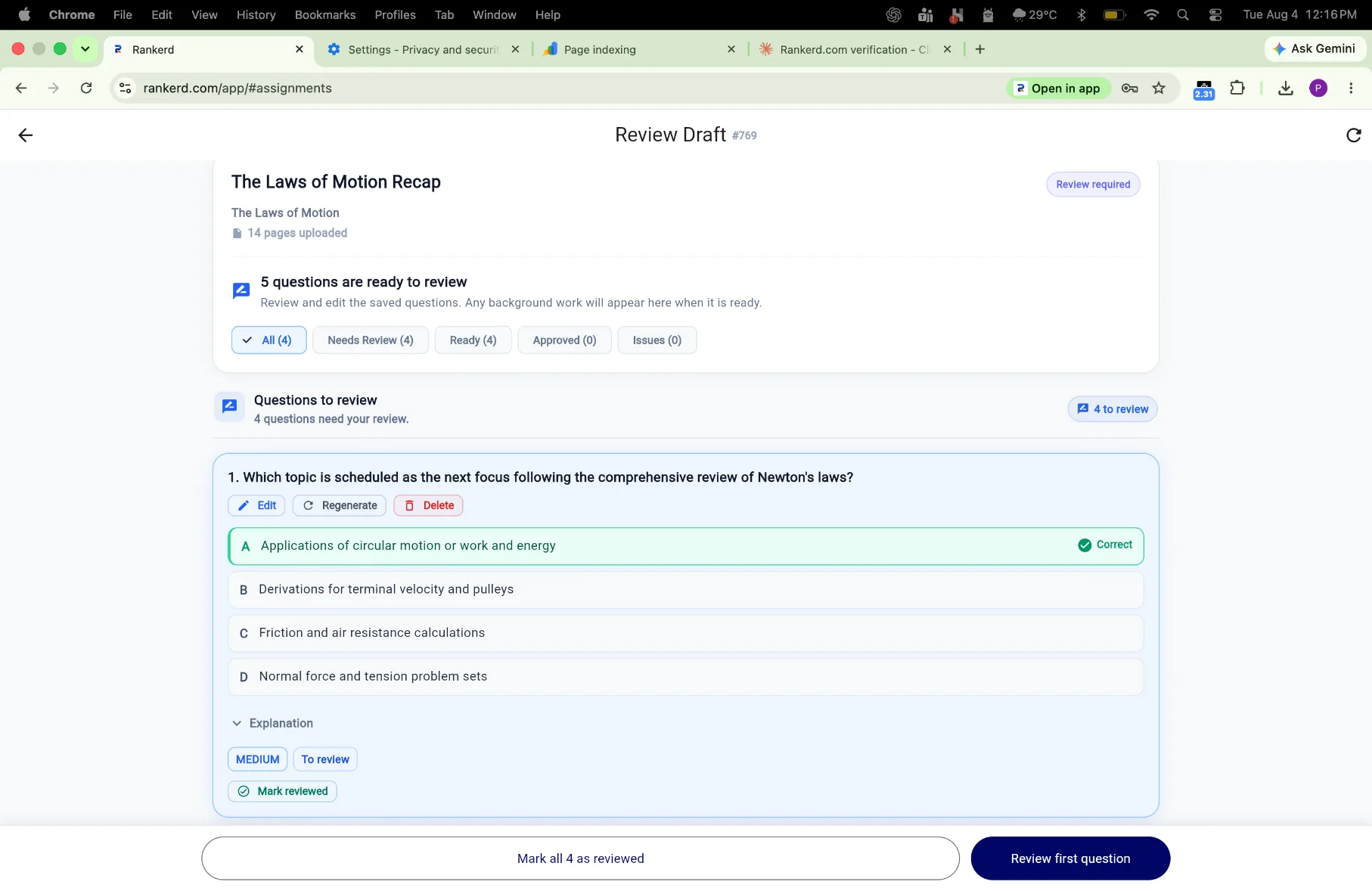
Upload the source, inspect the concepts Rankerd picked up, review the draft questions and publish only the set that fits the learner.
EXAMPLE WORKFLOW
For example, a tutor uploads notes on Newton’s laws, checks that the draft distinguishes force from acceleration, removes one distractor that is too easy, and sends a five-question assignment for practice.
Use the lesson source as the starting point for the question draft.
Keep the tutor’s subject knowledge and learner context in the review loop.
Choose 5–30 questions instead of sending an unedited batch.
Use the student’s attempt to decide what to revisit next.
Try the Tutor Pro workflow free for 14 days.
Start 14-day free trial