14-day free trialNo credit card required
Built for independent tutors and small tutoring teams
Tutor assessment and student progress in one clear workflow.
Create tutor-reviewed assignments from the lesson material you already use, share them in a browser, and use student progress to plan what comes next.
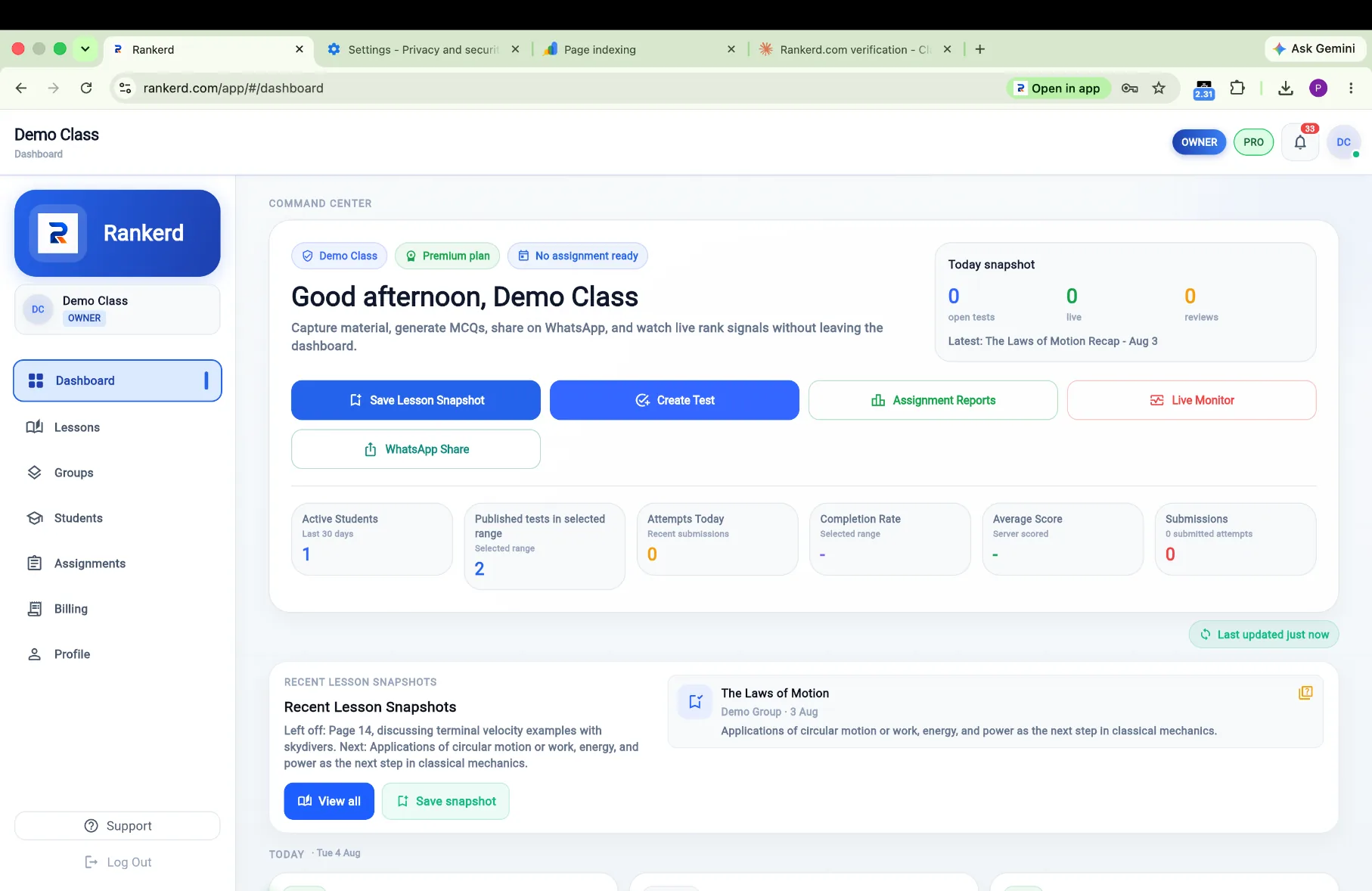
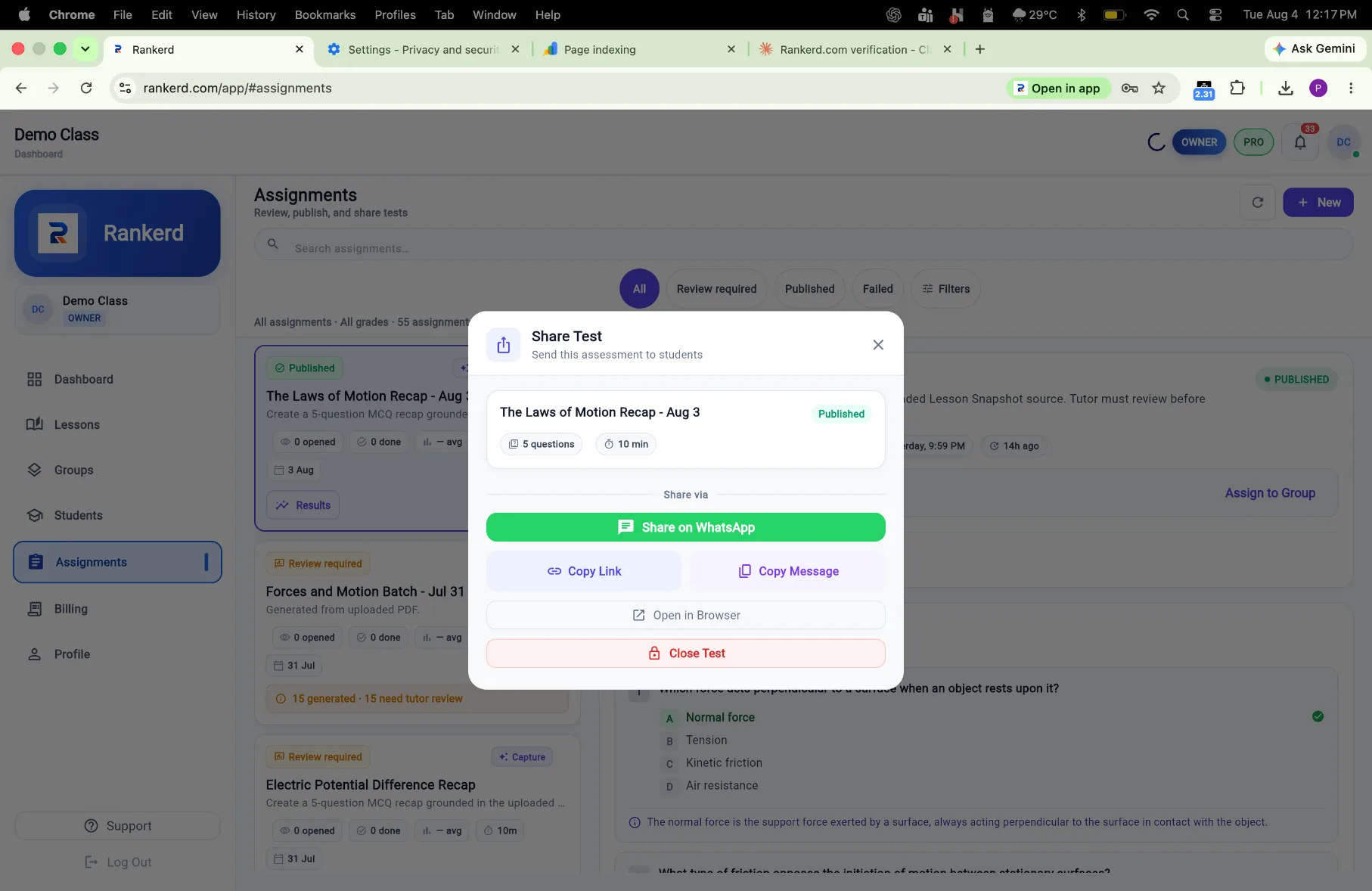
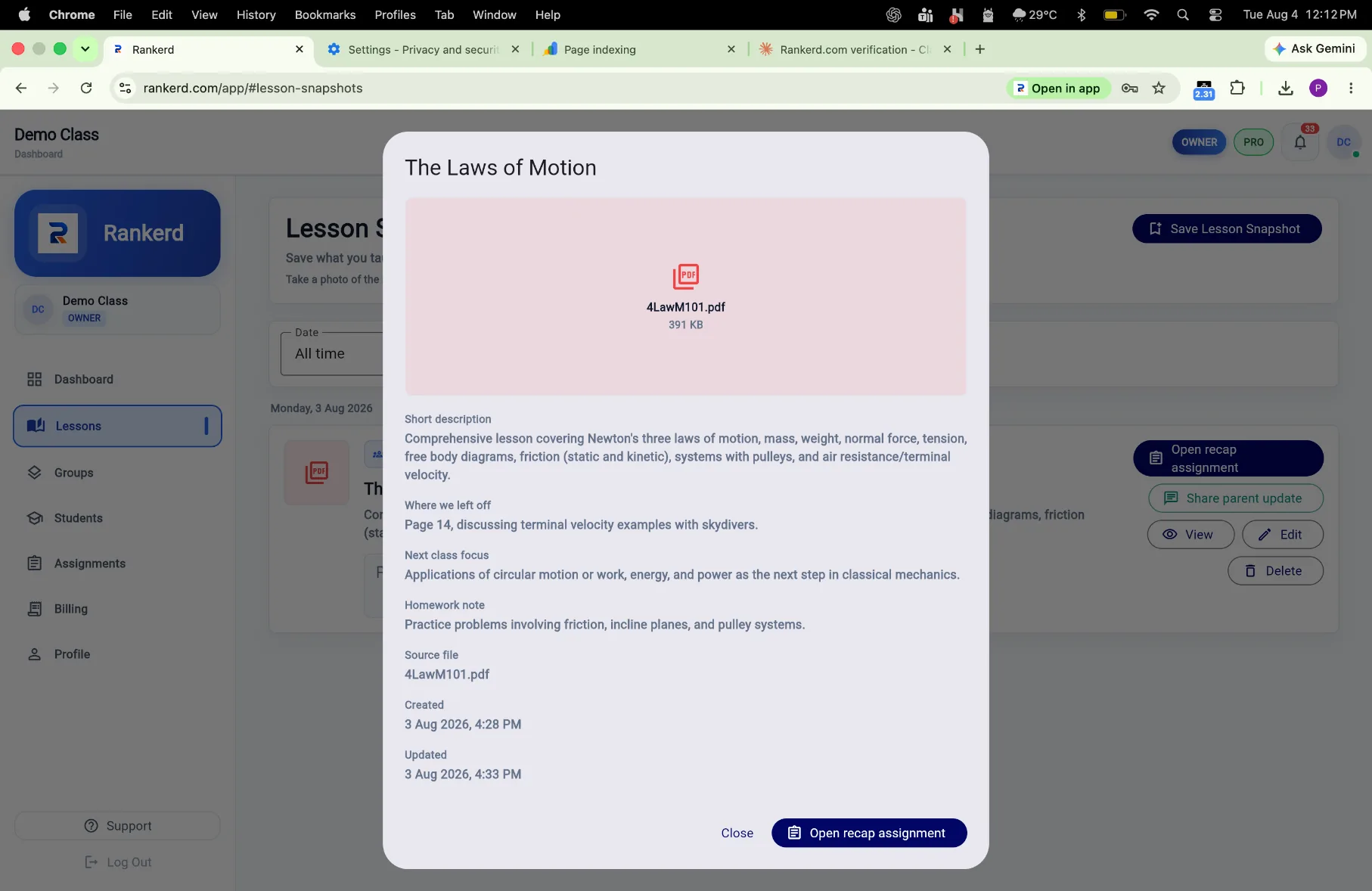
Tutor-controlledNothing is shared without your review
No student appStudents open assignments in their browser
Rankerd generation speed and tutor-controlled workflow
~10 sec
Parent-ready update draft
~45 sec
Five-question assignment draft
1 upload
Creates both from your lesson material
Two follow-ups. One lesson photo.Create the parent update and assignment from the same lesson material.
Nothing is sent automatically. Review, edit and share when you are ready.
*Typical generation times. Actual times may vary.
PARENT UPDATES
Finish the lesson with a clear update for the parent.
Snap lesson material. Rankerd drafts a parent-ready update. Review it, edit if needed, then share on WhatsApp.
- 01Capture the lesson material
- 02Review and edit the draft
- 03Share through WhatsApp when ready
ASSIGNMENTS
Turn teaching material into a ready-to-share assignment.
Upload a notebook photo, worksheet, textbook page or PDF. Create 5–30 questions, review them before publishing, and send students a browser link.
- Use the material already in front of youPhotos, scanned pages, PDFs and pasted notes.
- Choose the lengthSelect 5, 10, 15, 20, 25 or 30 questions.
- Keep the final sayReview every question and answer before publishing.
THE LESSON ENDS. THE ADMIN DOESN'T.
Keep the follow-up clear without losing the teaching context.
Rankerd keeps that workflow in one place.
EVERYTHING ORGANISED
Everything stays organised after you share.
Keep students, groups, assignments, progress and results connected in one place.
Students
Lesson history, assignments and results together.
Groups
Organise learners and assign work clearly.
Assignment Progress
See who has opened, started or submitted.
Results
Review patterns before your next lesson.
SIMPLE WORKFLOW
From material to useful follow-up in three steps.
01
ADD MATERIAL
Add material
Use the lesson material you already teach from.
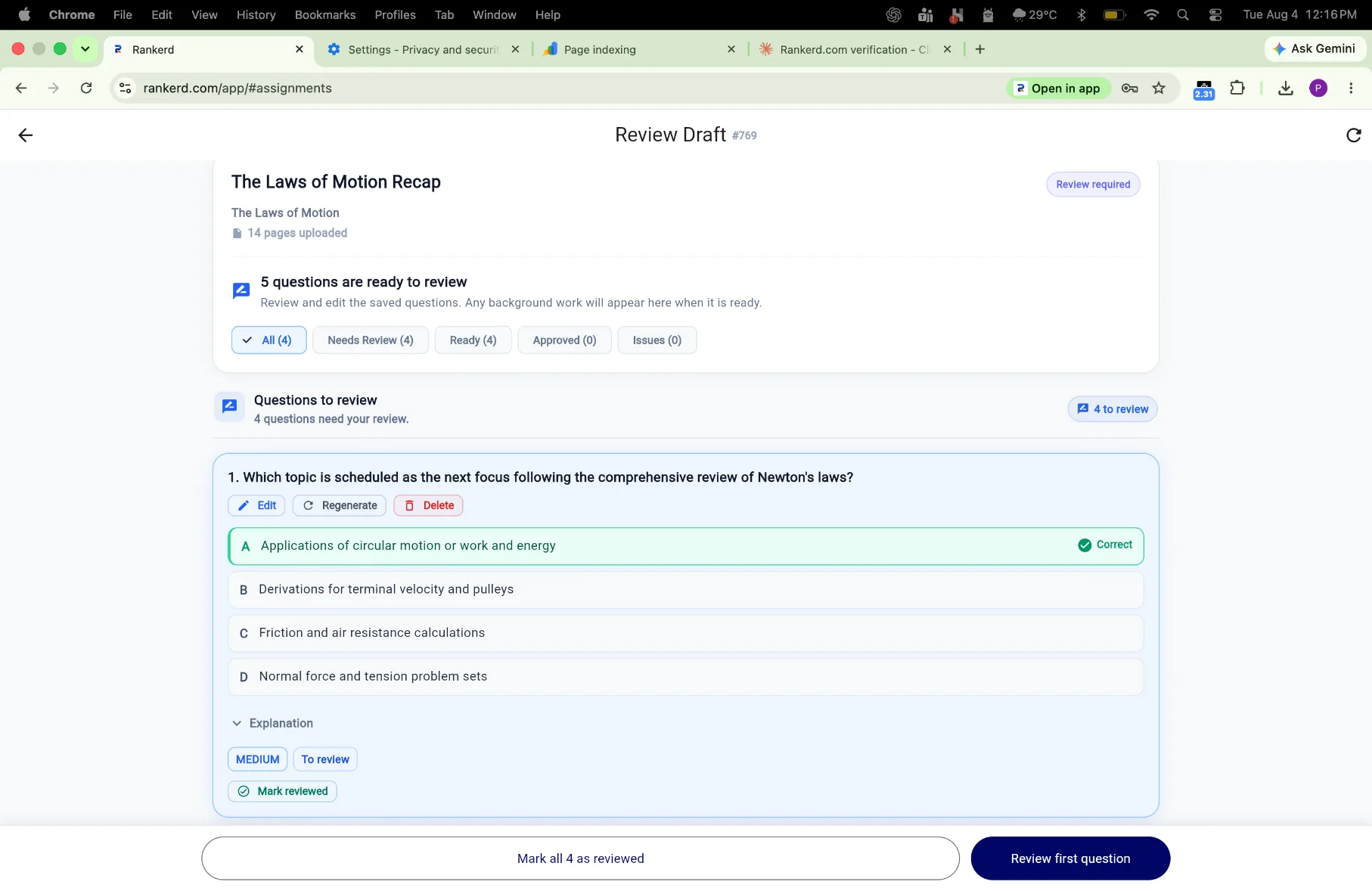
02
REVIEW
Review
Check the draft, edit anything you want, and publish when ready.
03
SHARE
Share
Send the update or assignment link without extra admin work.
EXPLORE THE WORKFLOW
Choose the part of tutoring you want to improve first.
Start with the product overview, see how the workflow works, or explore student progress and assessment tools.
Product for tutors
Keep parent updates, assignments, students and results connected.
Explore the tutor productHow it works
See the capture, review, share and follow-up loop.
See how it worksStudent progress
See assignment results and progress patterns that help guide the next lesson.
Explore student progressPractical guides
Use the Tutor’s Playbook for assignments, parents and progress.
Read the guidesFREE TUTOR RESOURCE
Still writing parent updates manually?
Get 10 ready-to-use WhatsApp parent-update templates for tutors.
SIMPLE PRICING
One plan. Per tutor. Per month.
Tutor Pro keeps the lesson follow-up, assignment workflow and student organisation in one place.
Tutor Pro
₹499 / month / tutor
Billed monthly · 14-day free trial
- Lesson snapshots and parent updates
- Tutor-reviewed assignments
- Student and group organisation
- Assignment results and patterns
TEACHING WITH A TEAM?
Invite tutors into one workspace.
Keep teaching activity organised centrally across tutors, students, groups and assignments.
QUESTIONS, ANSWERED
A tutor-controlled workflow, clearly explained.
Does Rankerd send parent updates automatically?
No. Rankerd drafts the update. You review and edit it, then choose whether to share it.
Do students need a Rankerd app?
No. Students open an assignment from a browser link, so no student app is required.
Can I use my own worksheets and PDFs?
Yes. Upload a notebook photo, worksheet, textbook page or PDF, then review the 5–30 question assignment before publishing.
What does tutor review mean?
The tutor remains responsible for accuracy and context. Nothing goes out without tutor review.
Is Rankerd for tutoring teams?
Yes. Rankerd is designed for independent tutors and tutoring teams that want teaching activity organised in one workspace.
What is the trial and price?
Tutor Pro is ₹499 per month with a 14-day free trial, billed monthly.
START WITH THE NEXT LESSON OR ASSIGNMENT
Finish the lesson. Let Rankerd organise the follow-up.
Capture the material, review what matters, and share clearer updates and assignments when you are ready.
Start 14-day free trialRunning a tutoring team? Talk to us about teams